Correct a classification
Each distinct job title is classified once, and everyone with that title inherits the result: their exposure, their benchmark salary and their Copilot fit. Correcting one title with 300 people in it moves the figures far more than fifty titles with one person each, so we work largest first.
Who: leads and analysts, on an active engagement.
1 · Find the titles that need review
Open the staff list's Classifications tab. The salmon count on the tab is the number of titles waiting for review; Needs review only is ticked by default when there are any.
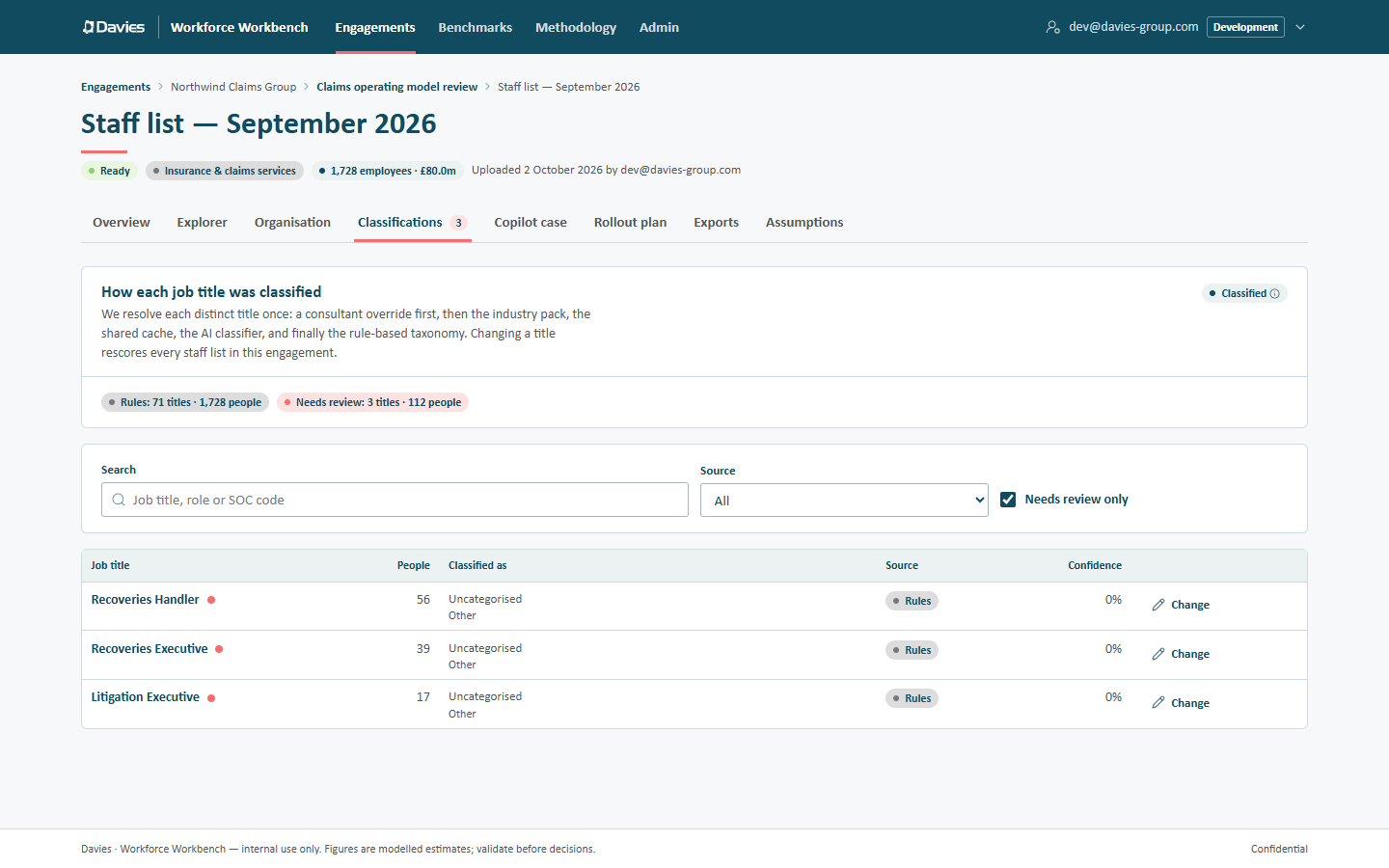
Titles needing review are marked with a salmon dot.
A title needs review when no rule recognised it (so it landed on Other / Uncategorised), or when the AI or the shared cache classified it with low confidence. Use Search (Job title, role or SOC code) and the Source filter to find others worth checking, such as a large title the AI placed somewhere surprising.
2 · Choose how to classify it
Choose Change beside the title. The dialog says how many people hold it, and that the override applies to this title in every staff list of the engagement, including future uploads.
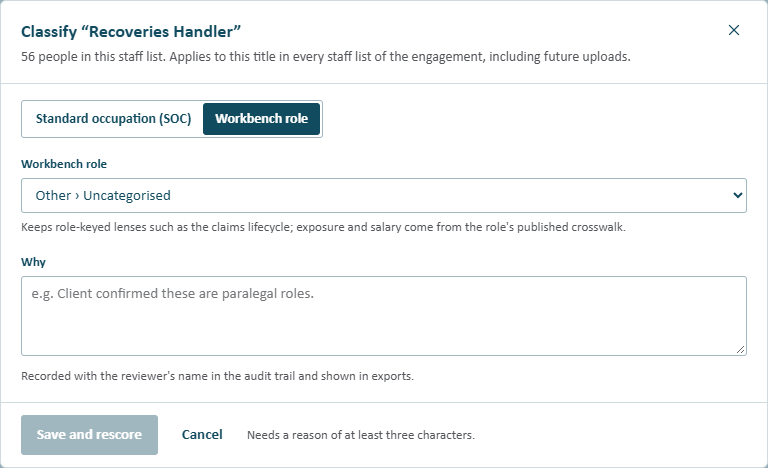
The override dialog.
Pick one of two ways:
| Option | Choose it when | What it sets |
|---|---|---|
| Workbench role | The title is one of the Workbench's roles (Category › Subcategory), such as a claims handler or a team leader. | The role, which keeps role-keyed views such as the claims lifecycle and Copilot fit by role. Exposure and salary come from the role's published crosswalk. |
| Standard occupation (SOC) | The title is a recognised occupation with no matching Workbench role, or the client has told us exactly what the job is. | Both codes: US SOC-2018 (AI exposure) and UK SOC-2020 (salary). Search by title or code. |
3 · Give the reason
Fill in Why (at least three characters), for example Client confirmed these are paralegal roles. It's recorded with our name in the audit trail and shown in exports, so write it for a client reader.
Choose Save and rescore.
What happens
- Every staff list in the engagement that holds the title is rescored straight away, and so are future uploads.
- The title leaves the review queue and shows the source Override.
- Cached AI text for the affected staff lists (the executive summary, for one) is cleared, because it would quote the old figures. Regenerate it if we want AI text again.
- The override appears on the engagement's Overrides tab, with the occupation, the rationale, who set it and when.
- The audit trail records Set classification override.
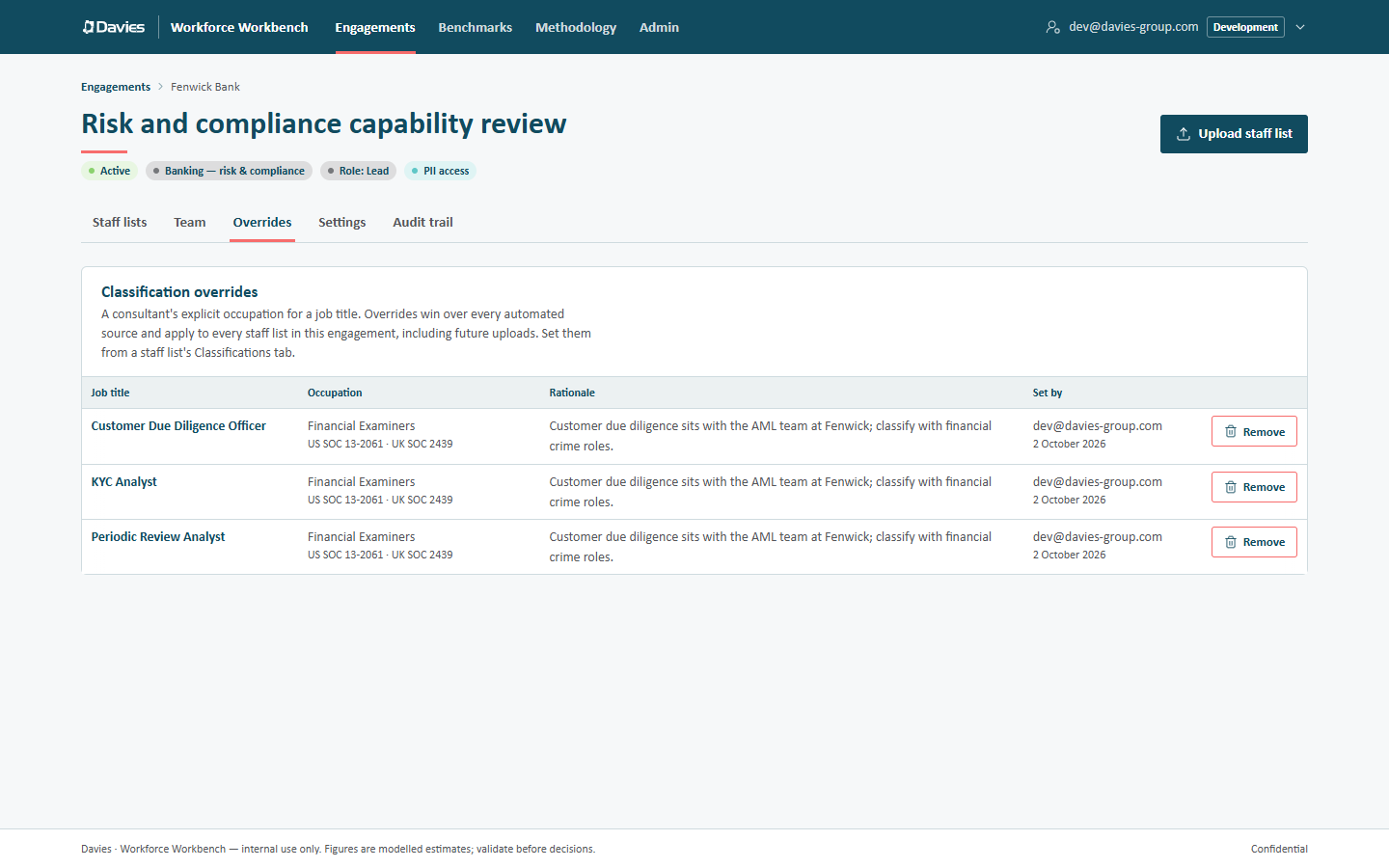
An engagement's overrides. Remove reclassifies the title without AI and rescores every staff list.
Undo an override
On the engagement's Overrides tab, choose Remove beside it. The title is reclassified without AI (industry pack, shared cache, then the rules) and every staff list that holds it is rescored. The audit trail records Removed classification override.
When the problem is bigger than one engagement
An override fixes the title for this engagement only. If the same mistake would recur elsewhere:
- A title rule is wrong or missing. Ask an administrator to change the title rules in the reference data and publish a new version (see Reference data). Staff lists pick it up when they're rescored with that version.
- The shared cache holds a wrong answer. An administrator can remove the entry on Admin → Classification cache, so the title is classified afresh next time (see Classification cache).
Keep the override in the meantime; it always wins over every automated source.
See Classifications and overrides for the full detail.