Compare staff lists
See how the workforce and its AI opportunity moved between two staff lists — for example, before and after a restructure.
Open an engagement with more than one staff list and choose Compare in its header. Compare needs two finished staff lists in the engagement; otherwise it says Compare needs two finished staff lists in this engagement.
Choosing the staff lists
Pick From staff list (the earlier list) and To staff list (the later one); each is shown with its upload date. From defaults to the second most recent finished staff list and To to the most recent. Staff lists whose personal data has been purged (Summary only) can be compared too.
When they aren't scored the same way
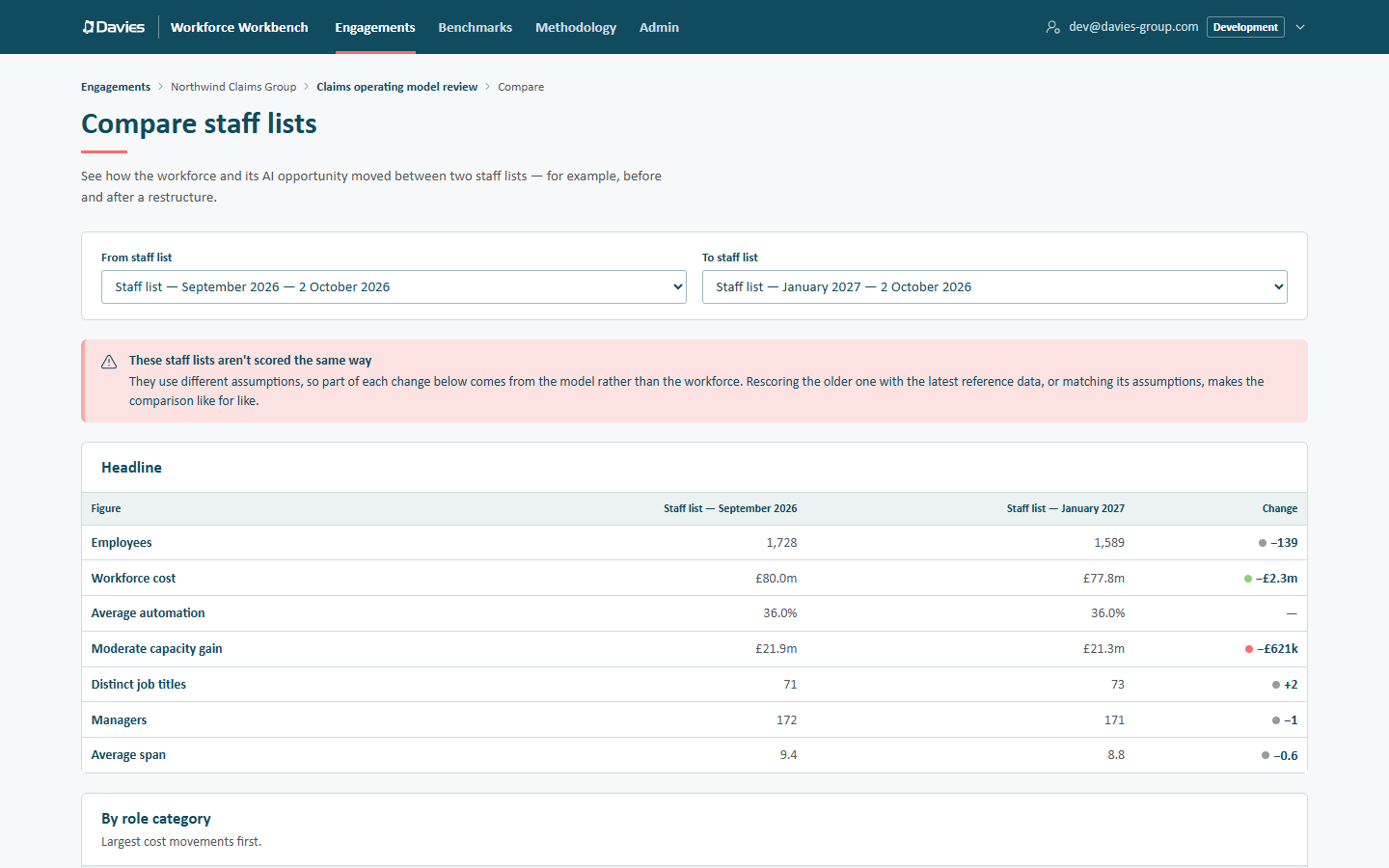
If the two staff lists use different reference data versions or different saved assumptions, a warning appears above the figures: These staff lists aren't scored the same way. It names the difference (for example reference data version 1 against version 2, or different assumptions) and explains that part of each change below comes from the model rather than the workforce. Rescoring the older one with the latest reference data, or matching its assumptions, makes the comparison like for like.
What it shows
Headline: each figure for both staff lists, with the Change:
| Figure | |
|---|---|
| Employees | |
| Workforce cost | |
| Average automation | The change is in percentage points (pts). |
| Moderate capacity gain | |
| Distinct job titles | |
| Managers | When both staff lists have reporting lines |
| Average span | When both staff lists have reporting lines |
Then two tables, largest cost movements first:
- By role category;
- By business.
Each row shows People (from → to), Cost (from → to) and the Cost change.
Things to check before quoting a movement
- The same reference data version and assumptions. Compare warns when they differ (see above). Each staff list has its own saved assumptions (employer-cost multiplier, realism discount, location factors), and staff lists pinned to different versions can differ because the tables or constants changed, not because the workforce did. Rescore the older one onto the newer version first if needed (see Reference data versions).
- The same filters at upload. If one list included contractors and the other didn't, the headcount moves for that reason alone. Compare can't detect this.
- Overrides apply to every staff list in the engagement, so both lists classify a title the same way.
Comparisons work from each staff list's cached summary, so they keep working after the engagement's personal data has been purged.
Step by step: Refresh with a new staff list.