Closing, reopening and purging
An engagement moves through three states:
active ──close──▶ closed ──(retention period passes, or "Purge personal data now")──▶ purged
   ▲                 │
   └────reopen───────┘
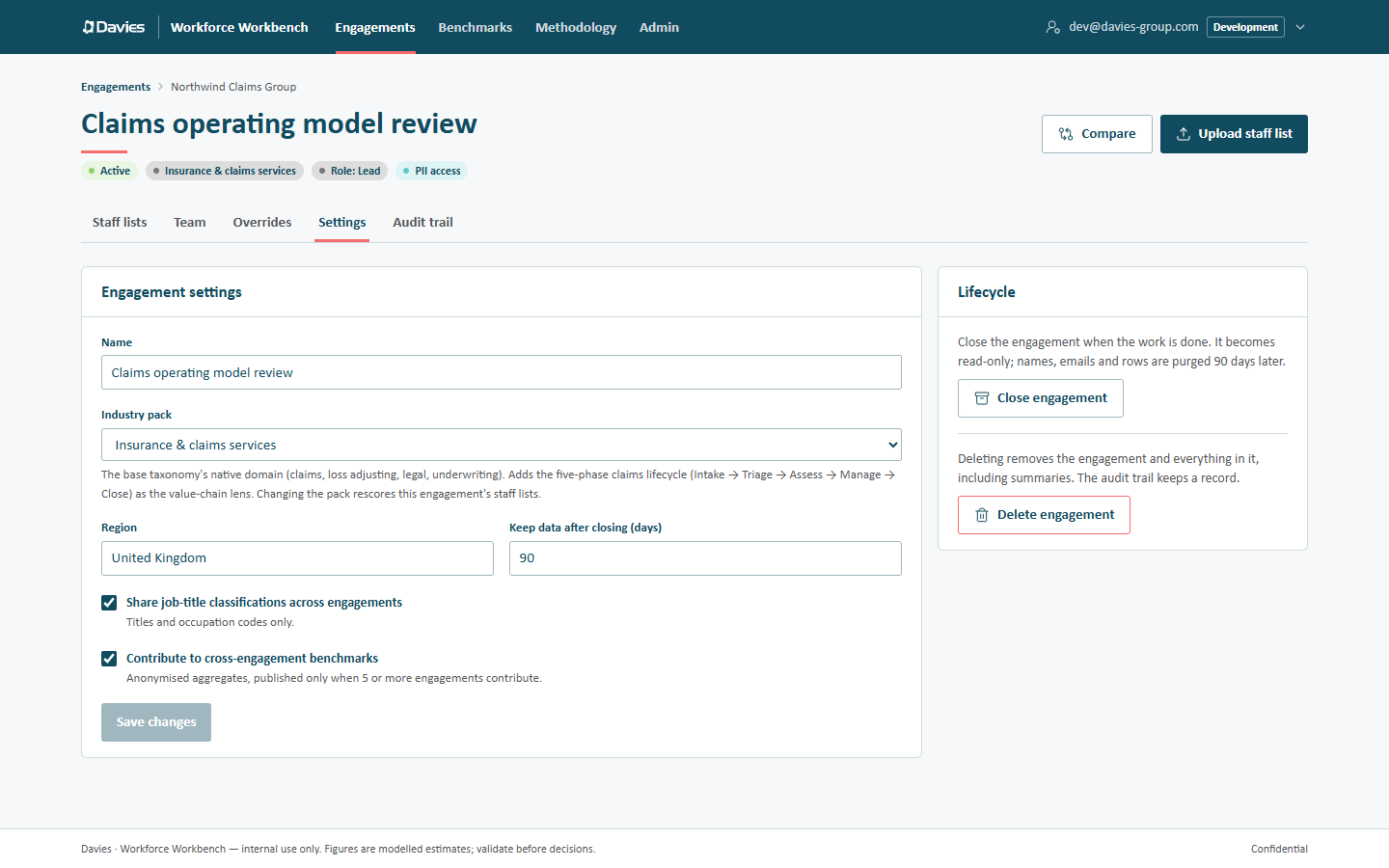
All of these live in the Lifecycle card on the engagement's Settings tab, which only leads and administrators see.
Closing an engagement
Close the engagement when the work is done: Settings → Close engagement, then confirm.
- The engagement becomes read-only for everyone, at the database level. Its settings are fixed too (This engagement is closed, so its settings are fixed. Reopen it under Lifecycle to change them.), and the screens where we'd otherwise make changes (classifications, assumptions, rollout plans, uploads) show a Read-only notice naming the reason, with their inputs disabled.
- The retention clock starts. After the number of days in Keep data after closing (days) (90 by default), a nightly job purges its personal and row-level data.
- A banner on the engagement and each of its staff lists reads This engagement is closed: Everything here is read-only. We purge its names, emails and rows N days after closing; the anonymised summaries stay.
Reports, exports and comparisons built from the anonymised summaries keep working while it's closed.
Reopening
A closed engagement can be reopened at any point before it's purged: Settings → Reopen (the card reads Closed with the date, Reopen to make changes, or purge personal data now.). It becomes active again and the retention clock stops. A purged engagement can't be reopened.
Purging personal data now
When a client asks for their data to be deleted, or the work needs it gone sooner, a lead can purge a closed engagement immediately: Settings → Purge personal data now, then type the engagement's exact name to confirm and choose Purge now.
Purging (automatically or by hand):
- deletes stored names and emails, and destroys the engagement's encryption key in the live database. Backups and point-in-time history taken before the purge still hold the wrapped key and the encrypted data until they age out, so they're only gone from those once the backup window has passed;
- deletes employee rows, job-title lists, upload records and Copilot rollout plans (which reference employee IDs);
- clears the engagement's report wording, because it is free text that could name people;
- keeps each staff list's anonymised summary, so historic reports, comparisons and benchmarks still work.
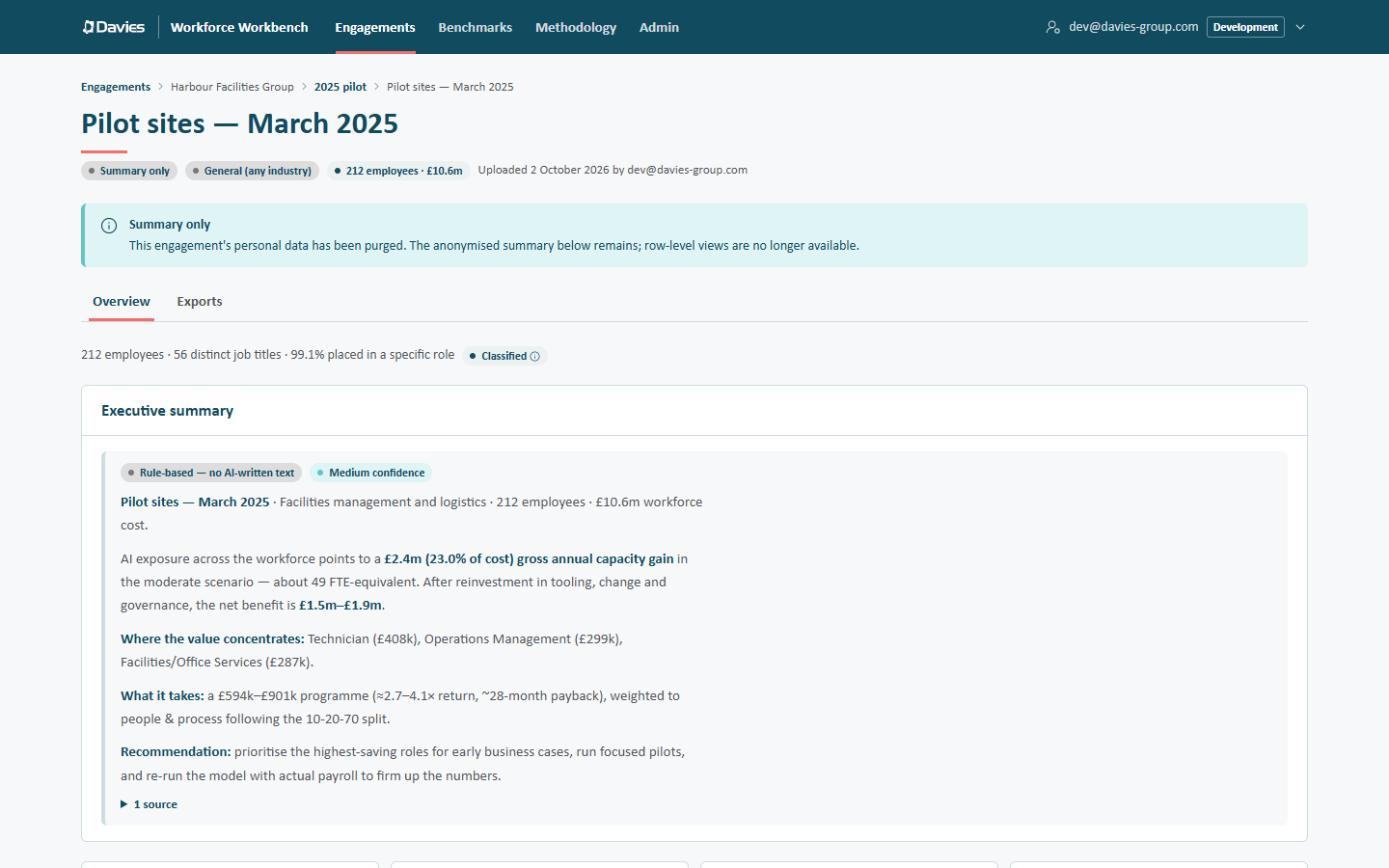
Once purged, row-level views (Explorer, Organisation, Savings by group, Classifications, Copilot case, Rollout plan, Assumptions) and the exports that need rows (the finance workbook, the Spans and layers report, the interactive report explorer, the Copilot case) are no longer available. Each staff list's status becomes Summary only, and the engagement's status pill reads Personal data purged.
A purged staff list keeps only its Overview and Exports tabs, under a Summary only notice. An old link or bookmark to one of its other tabs opens the Overview instead.
The engagement must be closed first; an active engagement can't be purged. The purge is recorded in the audit trail as Purged personal data, with reason: manual or reason: retention.
Deleting an engagement
Administrators can remove an engagement completely, including its summaries: Settings → Delete engagement, type the engagement's name, then Delete permanently. Everything in it is deleted: staff lists, summaries, overrides and plans. The audit trail keeps a record of the deletion (Deleted engagement).
Use deletion when even the anonymised summaries must go. For ordinary retention, closing is enough.
Summary
| Action | Who | When | Keeps summaries |
|---|---|---|---|
| Close | Lead, administrator | Active | Yes |
| Reopen | Lead, administrator | Closed | Yes |
| Purge personal data now | Lead, administrator | Closed | Yes |
| Automatic purge | The nightly job | Closed for longer than the retention period | Yes |
| Delete engagement | Administrator | Any status | No |
Step by step: Respond to a deletion request.