Reference data
Everything the model runs on is data, not code: the occupation catalogues and pay tables, the title rules and roles, the exposure band, scenario rates, location factors, the adoption and investment programme, value chains, Copilot fit rules, industry packs and the register of sources. Administrators edit it on Admin → Reference data and publish numbered versions.
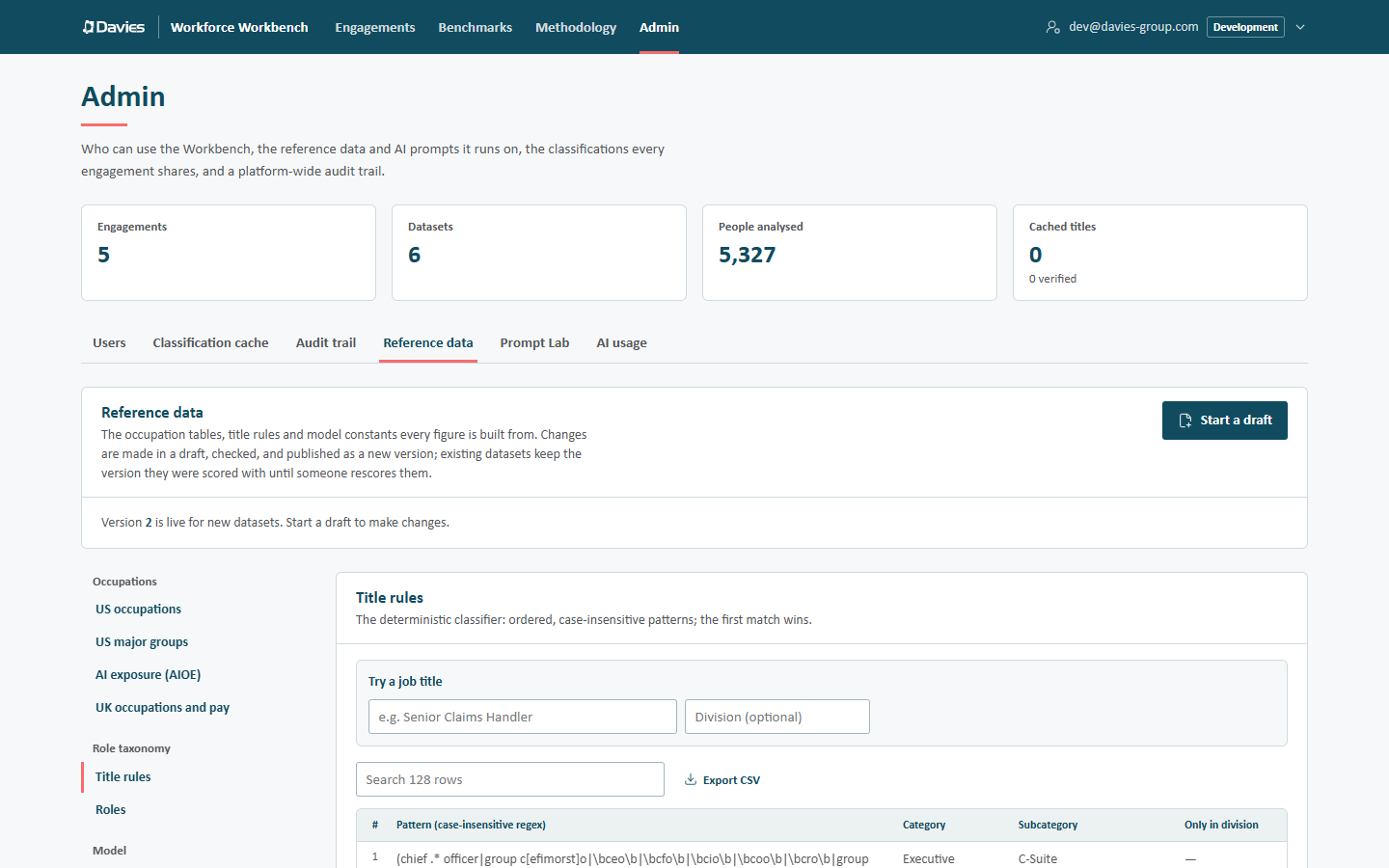
The occupation tables, title rules and model constants every figure is built from. Changes are made in a draft, checked, and published as a new version; existing datasets keep the version they were scored with until someone rescores them. (Several reference data screens say dataset for a staff list.)
How versions work
- Version 1 is the built-in data shipped with the Workbench.
- Published versions are immutable. The database refuses any change to one. A correction is a new version.
- There's at most one draft at a time, across all administrators.
- The newest published version is live: new staff lists are pinned to it when they're uploaded, and the Methodology page describes it.
- Existing staff lists keep their version. A staff list only moves when a lead or analyst chooses Rescore with version N on it (see Reference data versions). That rescoring is audited.
So publishing a version never silently changes a figure a client has already seen.
The workflow
- Start a draft. The draft copies the live version. (To start from an older version instead, use Draft from this in the version history.)
- Edit sections. Changes stay in the browser until saved and carry across sections. Closing or reloading the tab, or moving to another page in the Workbench, with unsaved changes (or JSON changes not yet applied) asks first: Leave without saving? The changes we haven't saved to the draft will be lost. Choose Leave to discard them.
- Save draft as often as we like. The draft is saved only if its shape is valid; problems between tables are reported but don't stop saving.
- Fix everything in the problems list (errors). Warnings can stay.
- Publish version N, with notes on what changed and why.
Or Discard draft to throw it away (Every change in the draft is lost. Published versions are unaffected.).
The header card always says where we are, for example Version 2 is live for new datasets. Start a draft to make changes., or while editing, Version 3 is live for new datasets. We're editing draft version 4, based on version 3; last saved 22 September 2026.
Validation
The draft is checked live as we edit, in two layers:
- Shape: every field's type and range (for example, a percentile must be between 0 and 100, a SOC code must look like
13-1031or2412, a title pattern must be a valid regular expression, there must be exactly three scenarios). A draft with shape errors can't be saved. - Cross-checks between tables. Errors block publishing; warnings don't. Examples:
| Check | Level |
|---|---|
| A title rule points at a role that isn't in the roles table | Error |
| A role's or pack rule's UK code has no ASHE median or proxy | Error |
| A pack rule's US code isn't in the US catalogue | Error |
| The roles table lacks Other / Uncategorised | Error |
| The augmentation ceiling isn't above the floor; the "now" cut-off isn't above "near" | Error |
| The baseline region is missing, or its factor isn't 1 | Error |
| Two regions claim the same country value | Error |
| Scenarios aren't conservative, moderate, aggressive in that order, or one lacks an ROI band | Error |
| The offshore threshold isn't below the onshore threshold; a narrow span isn't below a wide span | Error |
| A value chain uses an undefined phase, or a pack names an undefined value chain | Error |
There's no pack with id general | Error |
| A source's id doesn't match its key | Error |
| A role's anchor percentile differs from the AIOE table | Warning |
| A role's anchor US code isn't in the AIOE table | Warning |
| ASHE 25th/75th percentiles on the wrong side of the median | Warning |
| Investment split or phase shares don't add up to 100% | Warning |
| The S-curve goes down | Warning |
| A value chain role's weights don't add up to 1 | Warning |
| A rubric's automation is above its augmentation | Warning |
The header shows either The draft passes every check and can be published or N problems must be fixed before publishing, with each problem's location (for example taxonomy › rules › row 13 › pattern) as a link that opens the section concerned and brings the row into view, marked in salmon. Warnings are listed under N data-quality warnings (publishing is still allowed).
Each anchored role quotes the AIOE percentile of its US occupation, and the built-in data matches the AIOE table exactly. After loading a new AIOE edition, the Roles section warns about any role whose percentile no longer matches and offers Sync percentiles from the AIOE table.
The sections
The navigation on the left groups the sections. A salmon dot marks a section changed since the version the draft is based on, and a salmon count marks a section with errors to fix. On narrow screens the navigation is a Section drop-down.
Occupations
| Section | What it holds |
|---|---|
| US occupations | The US SOC-2018 catalogue (code, title, major group): the codes the AI classifier and overrides may choose. |
| US major groups | Two-digit SOC major groups and their titles: benchmark groups and SOC-coded roles' categories. |
| AI exposure (AIOE) | Felten, Raj & Seamans' Language-Modeling AIOE score and percentile (0–100) by US code, crosswalked from SOC 2010 to SOC 2018 (800 of the 867 SOC 2018 occupations have a score in the built-in data). The percentile drives exposure. |
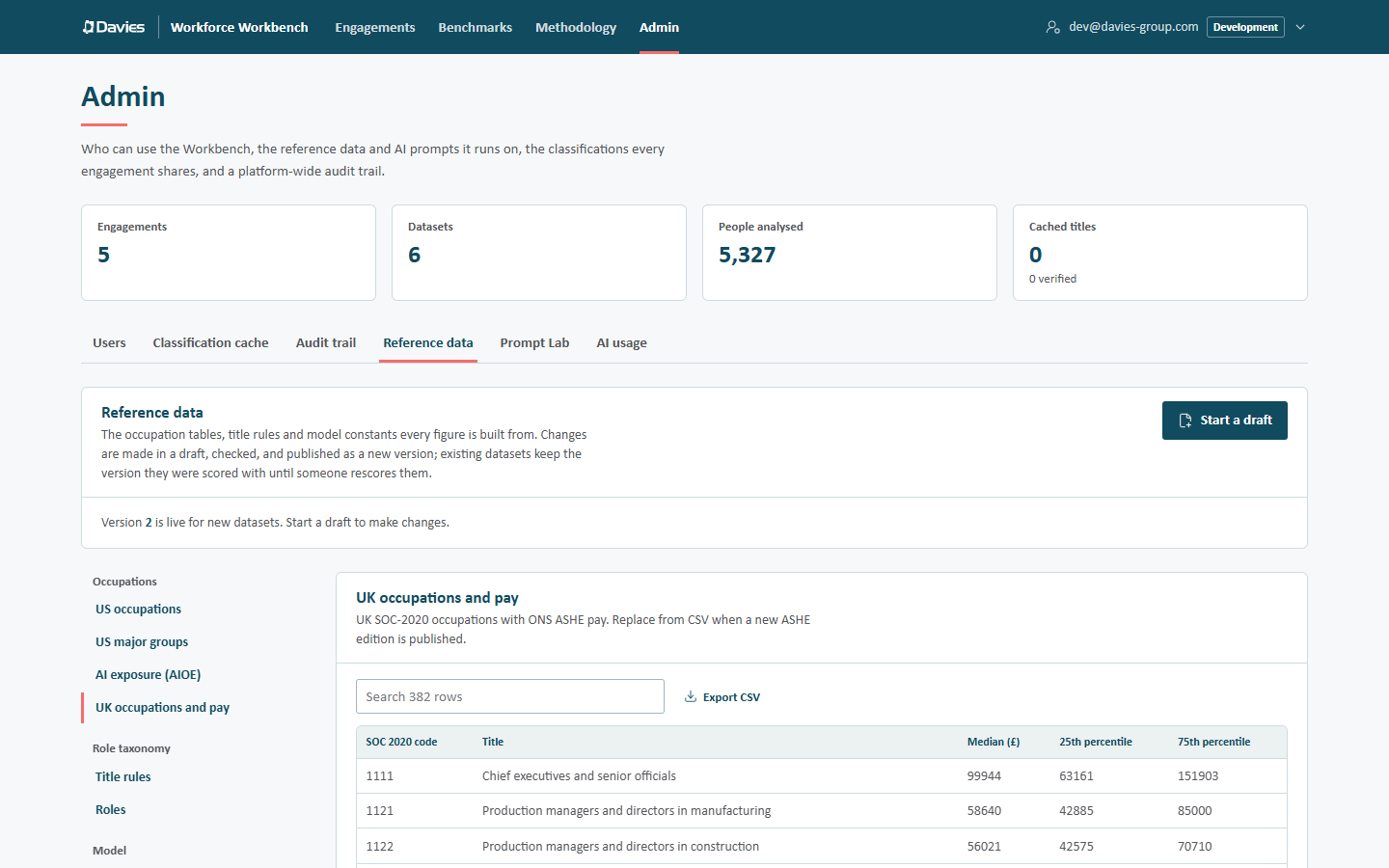
| UK occupations and pay | UK SOC-2020 occupations with the ONS ASHE median, 25th and 75th percentile pay (full-time jobs, ASHE 2025 provisional in the built-in data). Also: Proxy medians for codes where ASHE suppresses the median; the Default UK code for roles with no mapping; and the Fallback median (£) when a code has neither. Replace from CSV when a new ASHE edition is published. |
Role taxonomy
Title rules is the deterministic classifier: ordered, case-insensitive patterns; the first match wins. Each rule has a Pattern (case-insensitive regex), the Category and Subcategory it assigns, and optionally Only in division (the rule only applies to people in exactly that division).
Try a job title tests the rules as they stand in the draft: type a title (and optionally a division) to see Rule 10 matches: Claims › Claims Handler or No rule matches: Other › Uncategorised.

Because the first match wins, put specific patterns above general ones (head of claims above claims). Add row inserts a new rule at the top, where it takes precedence over everything. Move a rule by typing its new position in the # column, or one place at a time with the arrows.
Roles lists every Workbench role and everything the model needs to score it:
| Column | Meaning |
|---|---|
| Category, Subcategory | The role. |
| UK code (pay) | The UK SOC-2020 occupation for its salary benchmark. |
| US anchor code, Anchor title, Anchor percentile | The published exposure anchor: the US occupation whose AIOE percentile the role uses. Leave blank for a role with no crosswalk. |
| Rubric automation %, Rubric augmentation %, Horizon, Confidence, Rationale | The Workbench's own estimate, used only when the role has no anchor (and labelled as an assumption). |
Rubric for roles not in this table (a JSON editor) is the estimate used if a rule or override names a role with no row. Titles no rule matches become Other › Uncategorised, which is scored by its own row in the table.
Model
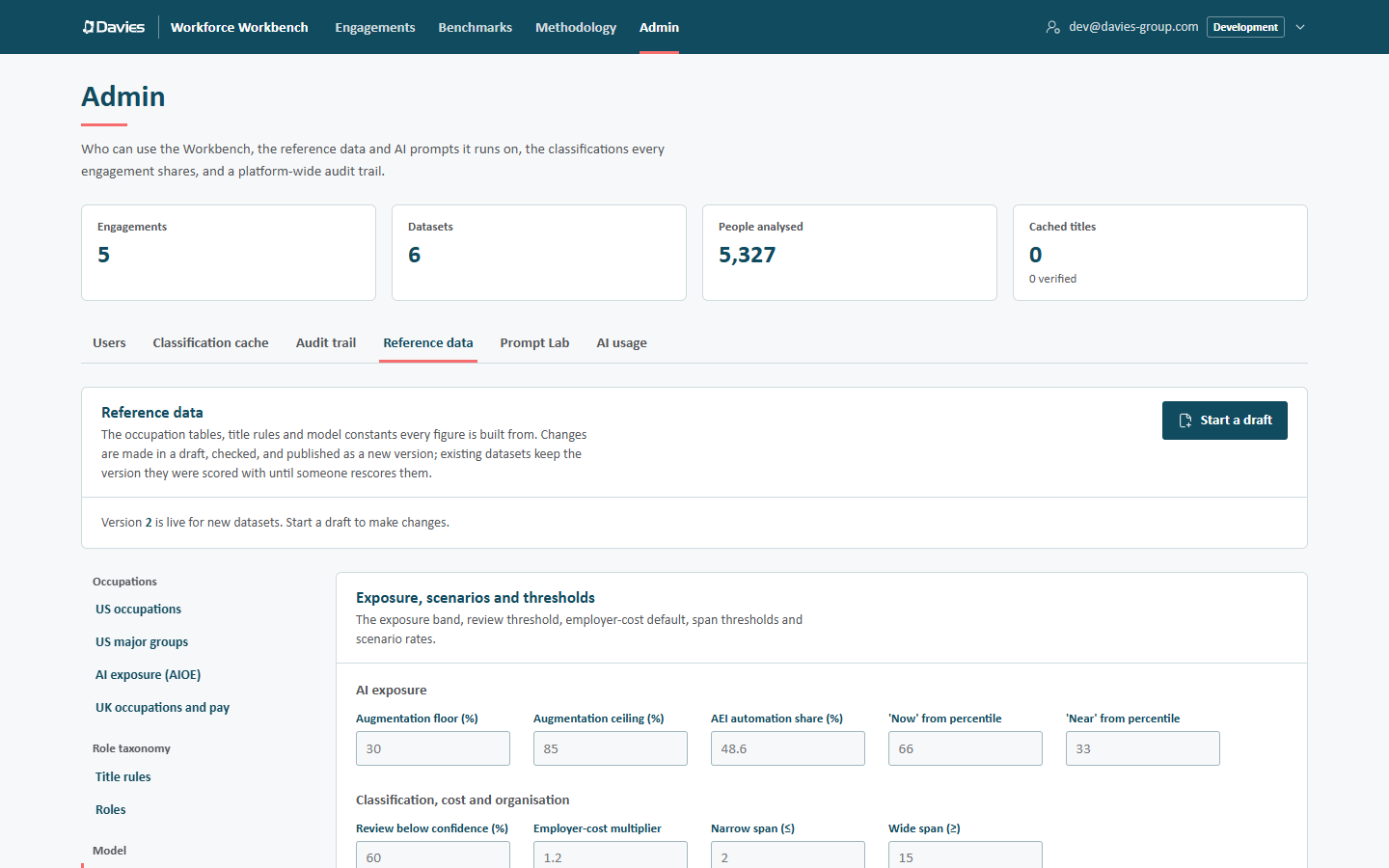
Exposure, scenarios and thresholds:
| Field | Built-in value |
|---|---|
| Augmentation floor (%) / Augmentation ceiling (%) | 30 / 85 |
| AEI automation share (%) | 48.6 (Anthropic Economic Index, June 2026 release) |
| 'Now' from percentile / 'Near' from percentile | 66 / 33 |
| Review below confidence (%) | 60 |
| Employer-cost multiplier | 1.2 (Default for new datasets.; an assumption) |
| Narrow span (≤) / Wide span (≥) | 2 / 15 |
| Scenarios | Conservative 0.3 / 0.1, Moderate 0.55 / 0.2, Aggressive 0.75 / 0.35 |
The three scenarios are structural (the finance workbook lays them out); their names and rates are ours. Edit the Name, Automation realised (share, 0–1) and Augmentation productivity (share, 0–1) only; don't add or delete scenario rows.
Adoption and investment (a JSON editor): the S-curve, reinvestment components and totals, the investment split, ROI bands per scenario, the four investment phases and the payback months.
Offshore view: Offshore below factor (0.6), Migration candidate from factor (0.9), Default offshore factor (0.25), and the Migratable SOC major groups and Migratable taxonomy subcategories, one per line.
Locations: the Baseline region (every factor is relative to this region, whose own factor must be 1) and the ordered Regions table: Key, Name, Default factor, Country values (exact), Location keywords (contains) and Native pay data. A free-text location matches the first region, in this order, with a keyword it contains. An explicit country column must equal one of a region's country values.
Value chains and benchmarks
Value chains (a JSON editor): the generic operating-model chain (its phases, which phase each role category belongs to, and the default phase) and the defined lifecycles such as claims (phases and each role's weights). Also the automatic lens id and the meaningful share (0.2).
Occupation-group benchmark: theoretical and observed AI coverage by occupation group, both employment-weighted, from the labour-market research listed under Sources (Massenkoff & McCrory, Labor market impacts of AI, Anthropic, 2026, in the built-in data). Its table (headed Occupation groups) gives each group's Group, SOC major, Theoretical %, Observed % and Taxonomy categories; below it are the Benchmark sources shown in reports.
Copilot
Copilot fit and defaults:
- Defaults for a new business case: Licence (£ per user per month) (£23.10 built in: Microsoft's UK list price for Microsoft 365 Copilot, enterprise, paid yearly, excluding VAT), Productivity (%), the share for each tier and the value base;
- Fit tiers: each tier's label and description (the four tiers themselves are fixed: high, medium and low fit, and Uncategorised, which carries no benefit);
- Fit by SOC major group and the Tier when nothing else applies;
- High-fit, Low-fit and Subcategories with no benefit: taxonomy roles, one per line.
Industry packs
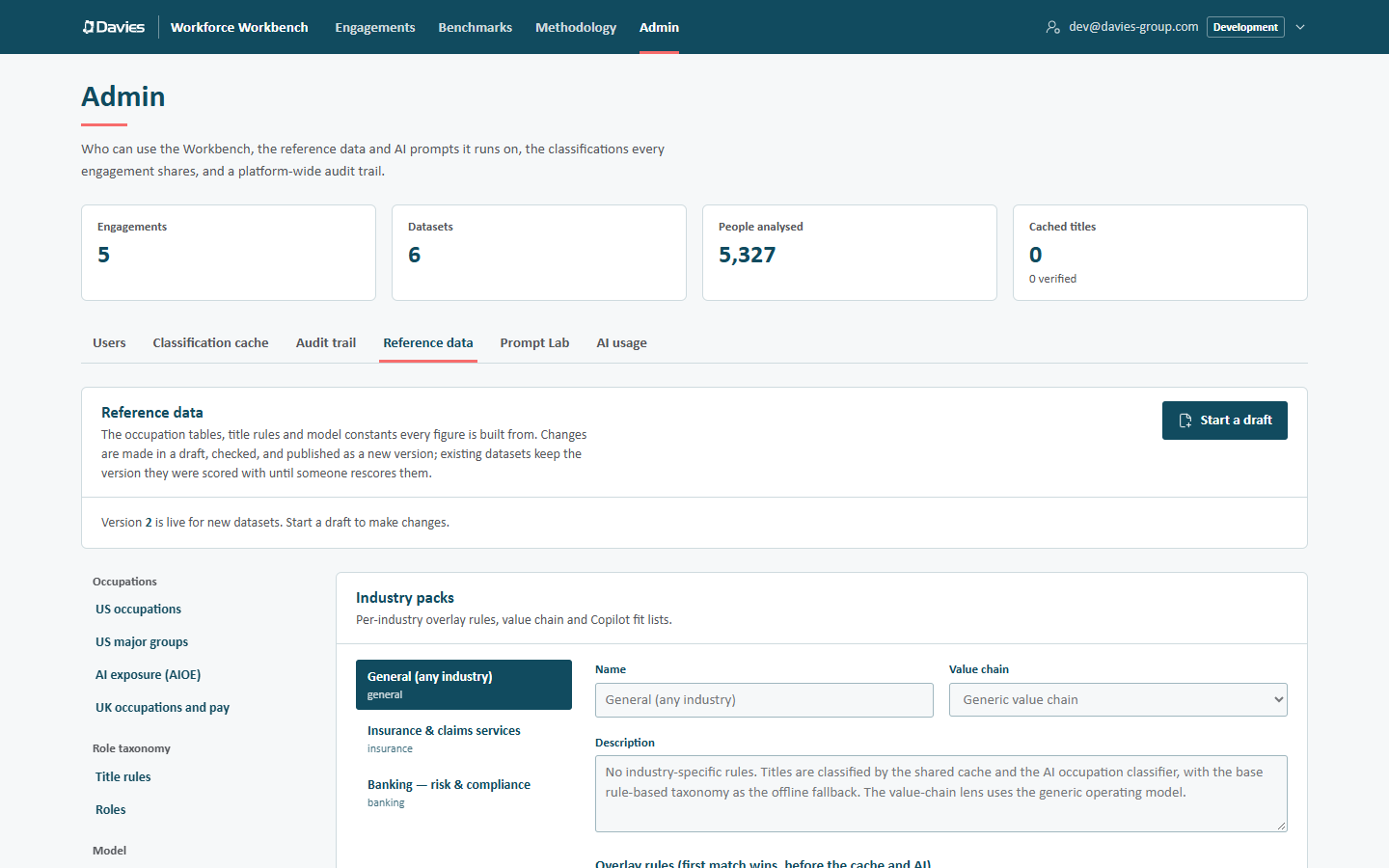
Choose a pack on the left, or type a new id (lower-case letters, digits, - and _) and select + to add one. For each pack:
- Name, Value chain (a defined lifecycle, or Generic value chain) and Description (shown when choosing a pack for an engagement, and on the Methodology page);
- Overlay rules (first match wins, before the cache and AI): ordered Pattern (regex), Category, Subcategory, US code and UK code;
- High-fit and Low-fit subcategories (Copilot).
Remove this pack is available for every pack except general, which is required: it's the fallback for engagements with no pack or an unknown one.
Sources
Sources of record: every source the figures cite, with Id, Name, Publisher, Edition, Kind (dataset, classification, framework, statutory, vendor, research or model), Citation, Link and Licence. Update the edition when you load new data.
The model's provenance chains refer to sources by id (aioe, aei, ashe, soc2018, hmrcNi, bcg102070 and others). Those rows can't be deleted and their ids can't be changed, and validation refuses a draft without them. Edit a source's details freely.
Working with tables
Every table section shares the same tools:
| Tool | What it does |
|---|---|
| Search N rows | Filters the rows. |
| Paging | 50 rows a page, with Previous and Next. |
| Add row | Inserts a blank row at the top. In a table keyed by code, the row stays on screen until it has a code. |
| Cells | Typed as they're edited. An invalid value stays in the cell, marked, until fixed (for example Not a number. or Use yes or no.). Lists are comma-separated. |
| # and arrows | In ordered tables (title rules, pack overlay rules, regions): type a position to move a row there, or move it one place with Move up / Move down. |
| Bin | Deletes the row. |
| Export CSV | Downloads the table as CSV (UTF-8, opens correctly in Excel). |
| Replace from CSV | Replaces the whole table from a CSV file. |
A duplicate code in a keyed table is flagged: Duplicate code: 2412. Each must be unique; only the last row with a duplicated code is kept.
Structural tables (the three Scenarios and the four Copilot Fit tiers) have a fixed set of rows: we can edit their names and values, but not add, delete or replace rows.
Bulk updates through CSV
For a new ASHE edition or a large rules change, round-trip through a spreadsheet:
- Export CSV from the section.
- Edit it in Excel. Keep the header row: it names each column by its path (for example
code,title,median,anchor.usSoc2018). Columns can be in any order; unknown columns are ignored; optional columns can be left out. - Replace from CSV with the edited file.
Every problem is reported with its line, for example Line 14, median: Not a number., and nothing is imported until the file is clean. Exported values that a spreadsheet would treat as formulas are guarded with a leading apostrophe, which the import removes again.
Then Save draft and check the problems list.
Import and export JSON
The last entry in the navigation handles the whole data set as one JSON file: for review outside the Workbench, a backup, or moving reference data between environments.
- Download JSON saves the draft (or the version being viewed).
- Replace the draft from JSON loads a file into the draft, after checking its shape. Imported into the draft. Check the problems above, then save the draft.
To move reference data from staging to production: download the published version's JSON on staging, start a draft on production, replace the draft from the file, check it, then publish with notes.
Publishing
Publish version N is disabled while there are errors. The Publish version N dialog:
- lists the sections changed since the version this draft is based on, and how many warnings remain;
- saves unsaved changes first;
- asks What changed, and why (at least three characters), for example ASHE 2026 provisional pay loaded; claims rules widened for adjusters. The notes appear in the version history and on the Methodology page.
New datasets will be scored with this version. Existing datasets keep theirs until someone rescores them.
Publishing is audited (Published reference data, with the notes and the warning count).
Version history
Every version, newest first, with its Status (Draft, Live or Superseded), Notes and who published it when. For each published version:
- View shows it read-only in the sections above (We're viewing version 2 (read-only). Back to the live version);
- JSON downloads it;
- Draft from this starts a draft from it, for example to roll back a change (publish the old data again as a new version).
Every published version is kept unchanged, so any dataset's figures can be reproduced exactly.

Common tasks
| Task | Where |
|---|---|
| Load a new ASHE edition | UK occupations and pay: Export CSV, update medians, Replace from CSV; then Sources of record: update the ASHE edition. |
| Fix a title that the rules misclassify everywhere | Title rules: test with Try a job title, add or reorder a rule. |
| Add a new role | Roles: add the role with its UK code and anchor (or rubric); then Title rules: add rules that assign it. |
| Change a location factor default | Locations: the region's Default factor. Existing staff lists keep their saved factors. |
| Add a region | Locations: add a row with a unique key, country values and keywords; order matters for keywords. |
| Change scenario rates | Exposure, scenarios and thresholds: the scenario rows. |
| Add an industry | Industry packs: add a pack with overlay rules, a value chain and Copilot lists. |
JSON sections
Adoption and investment, Value chains and the rubric for roles not in the table are edited as JSON. Changes reach the draft only when we choose Apply changes, and only if the JSON fits the section's shape; otherwise the first problem is shown (for example generic: Invalid input). While a JSON editor holds changes that aren't applied, Save draft and Publish are disabled and a notice says so. Revert goes back to the draft's value.
Two administrators, one draft
There is one draft at a time, so two administrators can edit it at once. Each save says which stored draft it started from. If someone else saved in between, the save is refused and the page shows Someone else saved this draft while we were editing it, with a choice:
- Load their version discards our unsaved changes;
- Keep ours and save over theirs replaces what they saved.
Every draft save is recorded in the audit trail (Saved the reference data draft), with the sections it changed. Leaving the page with unsaved changes asks first.
Step by step: Update pay data.